Scrape DuckDuckGo Inline Video Results with Python
Contents: intro, imports, what will be scraped, process, code, links, outro.
Intro
This blog post is a continuation of DuckDuckGo web scraping series. Here you'll see how to scrape Inline Video Results using Python with selenium librariy. An alternative API solution will be shown.
Note: This blog post assumes your familiarity with selenium library.
Imports
from selenium import webdriver
import re, urllib.parse
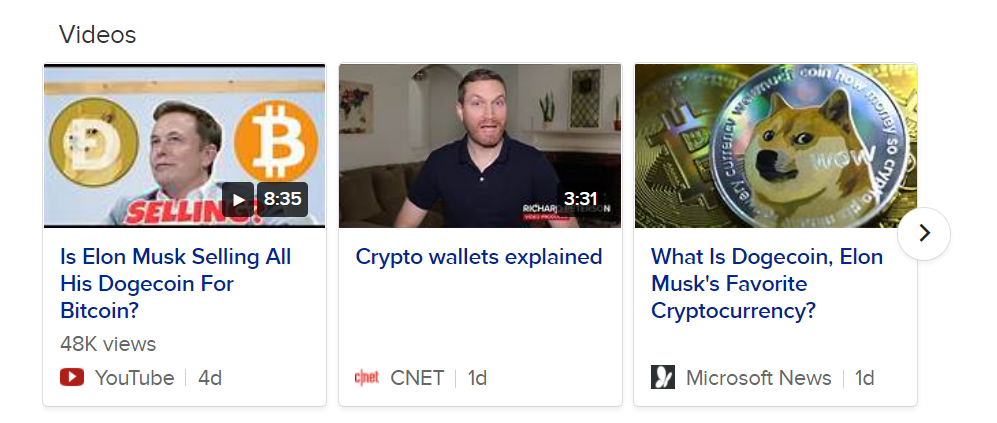
What will be scraped
Process
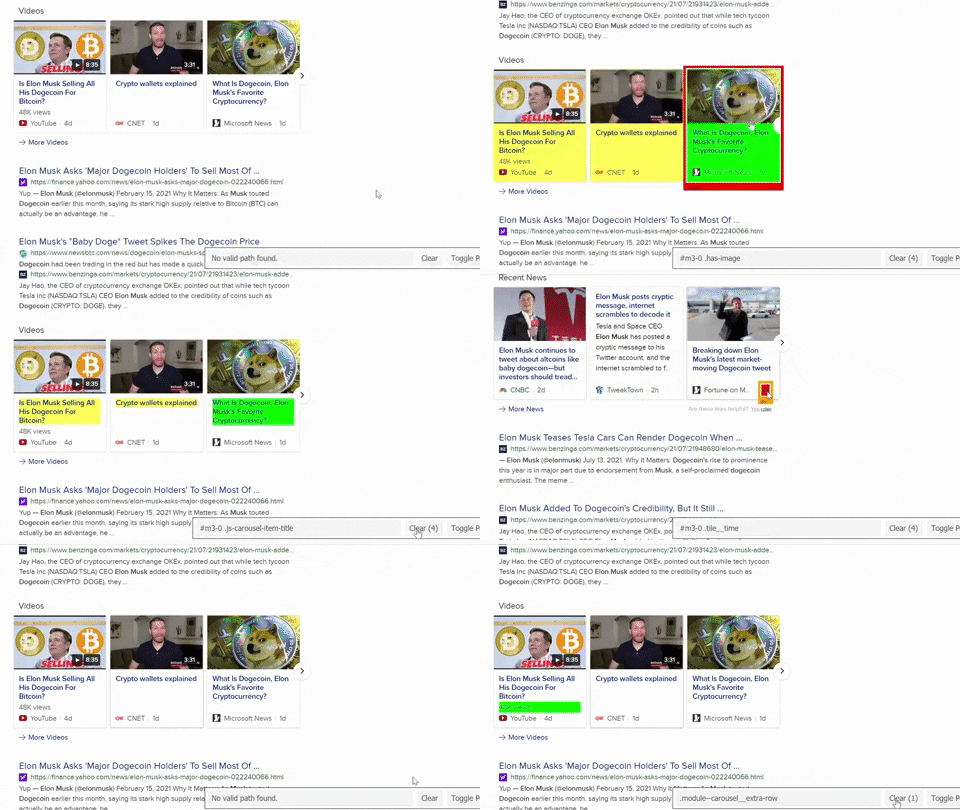
If you read my previous post about scraping DuckDuckGo organic news results then you'll find this process very familiar.
Selecting CSS selectors for container, title, link, source, date was published, number of views, video duration.
Code
from selenium import webdriver
import re, urllib.parse

driver = webdriver.Chrome(executable_path='path/to/chromedriver.exe')
driver.get('https://duckduckgo.com/?q=elon musk dogecoin&kl=us-en&ia=web')

for result in driver.find_elements_by_css_selector('#m3-0 .has-image'):
    title = result.find_element_by_css_selector('#m3-0 .js-carousel-item-title').text
    link = result.find_element_by_css_selector('#m3-0 .module--carousel__body a').get_attribute('href')

    try:
        views = result.find_element_by_css_selector('#m3-0 .module--carousel__extra-row').text
    except:
        views = None

    try:
        video_duration = result.find_element_by_css_selector('#m3-0 .image-labels__label').text
    except:
        video_duration = None

    date = result.find_element_by_css_selector('#m3-0 .tile__time').text
    platfrom_ = result.find_element_by_css_selector('.module--carousel__gray-text').text
    thumbnail_encoded = result.find_element_by_css_selector('#m3-0 .is-center-image').get_attribute('style')

    # https://regex101.com/r/VjOLjj/1
    match_thumbnail_urls = ''.join(
        re.findall(r'background-image: url\(\"\/\/external-content\.duckduckgo\.com\/iu\/\?u=(.*)&f=1\"\);',
                   thumbnail_encoded))

    # https://www.kite.com/python/answers/how-to-decode-a-utf-8-url-in-python
    thumbnail = urllib.parse.unquote(match_thumbnail_urls)

    print(f'{title}\n{link}\n{platfrom_}\n{views}\n{date}\n{video_duration}\n{thumbnail}\n')

driver.quit()

---------------
'''
Crypto wallets explained
https://www.cnet.com/news/dogecoin-creator-says-cryptocurrency-is-a-right-wing-funnel-of-profiteering/
CNET
None
1d
3:31
https://tse3.mm.bing.net/th?id=OVF.rxHgqP%2fwOSKJnuTLHnQBjw&pid=Api&h=120
...
'''
Using DuckDuckGo Inline Videos API
SerpApi is a paid API with a free plan.
The main thing that need to be done is to iterate over structured JSON string and apply it to your needs rather than coding everything from scratch and figuring out how to deal with problems along the way.
import json
from serpapi import GoogleSearch

params = {
  "engine": "duckduckgo",
  "q": "elon musk dogecoin",
  "kl": "us-en",
  "api_key": "YOUR_API_KEY"
}

search = GoogleSearch(params)
results = search.get_dict()

print(json.dumps(results['inline_videos'], indent=2, ensure_ascii=False))

--------------------------

'''
[
  {
    "position": 1,
    "title": "Is Elon Musk Selling All His Dogecoin For Bitcoin?",
    "link": "https://www.youtube.com/watch?v=smva4ayUxK0",
    "duration": "8:35",
    "platform": "YouTube",
    "date": "2021-07-12T03:06:20.0000000",
    "views": 48350,
    "thumbnail": "https://tse4.mm.bing.net/th?id=OVF.leIgxaS7tGYZAB0etKqMFw&pid=Api"
  }
]
...
'''
Links
Github Gist • DuckDuckGo Inline Videos API
Outro
If you found that something isn't working correctly or if you want to see how to scrape something I didn't write about yet, write me a message.
Yours,
— D

